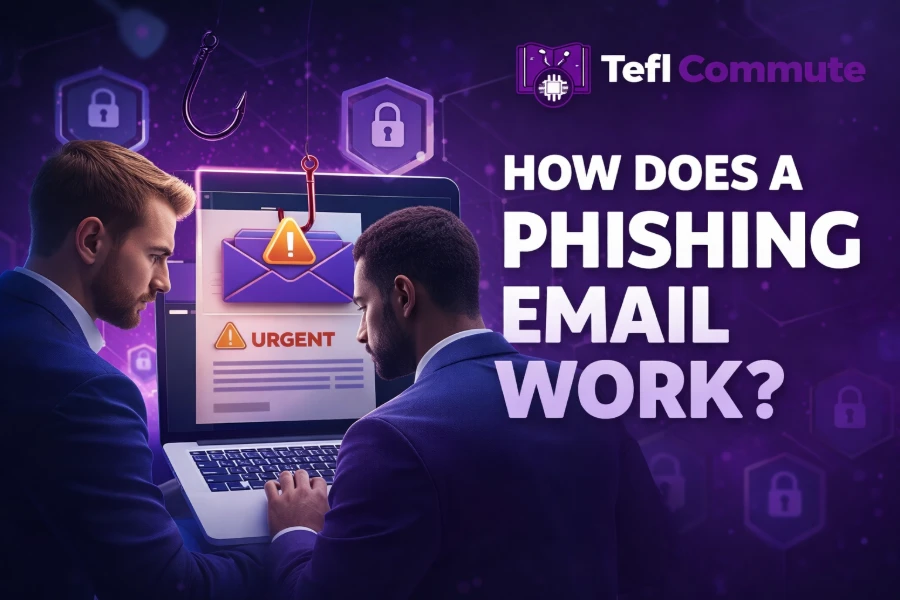
Phishing emails are one of the most common cyber threats you face online today, and they continue to evolve with alarming precision. Understanding how a phishing email works helps you avoid falling into traps designed to steal your personal or financial information.
In this guide, you will learn how phishing emails are created, how attackers trick you, and what steps you can take to stay protected. By the end, you will recognize red flags instantly and respond confidently to suspicious messages.
What Is A Phishing Email And Why It Exists
A phishing email is a deceptive message designed to trick you into revealing sensitive information such as passwords, credit card details, or login credentials. These emails often impersonate trusted brands, institutions, or even people you know to gain your trust quickly.
The primary goal is not just to steal data but also to gain unauthorized access to systems, which can lead to financial loss or identity theft. Cybercriminals rely heavily on psychological manipulation, making phishing more about human behavior than technology.
To stay ahead of such threats, it is important to develop digital awareness and security skills, and many people now choose to build your future in tech with expert learning because understanding systems helps you detect threats faster and respond effectively.
How Attackers Create A Phishing Email
Attackers begin by researching their target audience, gathering publicly available information from social media, websites, or leaked databases. This allows them to craft messages that feel personalized and believable, increasing the chances of success.
They then design emails that mimic trusted brands, using official logos, colors, and formatting to create a sense of legitimacy. These emails often include urgent language or threats to push you into acting quickly without thinking.
Finally, they embed malicious links or attachments that redirect you to fake websites or install harmful software on your device. Once you interact with these elements, your data becomes vulnerable to theft.
The Role Of Social Engineering In Phishing
Phishing emails rely heavily on social engineering, which is the art of manipulating human emotions to influence decisions. Attackers exploit fear, curiosity, urgency, and trust to make you act without verifying the message.
For example, you might receive an email claiming your account has been compromised and requires immediate action. This sense of urgency reduces your ability to think critically and increases the likelihood of clicking malicious links.
Understanding how technology works can improve your awareness, and topics like is javascript front end or backend help you see how web systems function behind the scenes, making it easier to identify suspicious activity.
Step By Step Breakdown Of A Phishing Attack
A phishing attack usually starts with the delivery of a carefully crafted email to your inbox. The message appears legitimate and often contains a call to action such as verifying your account or resetting your password.
Once you click the link, you are redirected to a fake website that looks identical to the real one. You unknowingly enter your credentials, which are immediately captured by the attacker.
The attacker then uses your stolen information to access your accounts, steal funds, or launch further attacks. This chain reaction can escalate quickly if not detected early.
Common Types Of Phishing Emails You Should Know
Phishing comes in many forms, each designed to target specific situations or individuals. Understanding these types helps you recognize threats more easily and respond appropriately.
Some common types include email phishing, spear phishing, whaling, smishing, and vishing. Each type uses a different method but shares the same goal of deception and data theft.
Recognizing these variations allows you to stay alert in different scenarios, whether you are checking emails, receiving text messages, or answering calls.
Warning Signs That Reveal A Phishing Email
Phishing emails often contain subtle clues that indicate something is wrong. These signs may not always be obvious, but with practice, you can spot them quickly.
Look for generic greetings, spelling errors, suspicious links, and unusual requests for sensitive information. Pay close attention to the sender’s email address, as it may contain slight variations from legitimate domains. Tools like TikFCounter can also help users understand online behavior patterns and improve their awareness of digital interactions.
Clear communication and visual awareness also play an important role in recognizing digital threats. Resources like Fontylish can help create better-organized visual content for explaining online safety concepts.
Another key indicator is urgency or threats, which are designed to push you into acting without verifying the message. Always pause and evaluate before taking action.
Why Phishing Emails Look So Real
Modern phishing emails are highly sophisticated and often indistinguishable from legitimate messages at first glance. Attackers use advanced tools and techniques to replicate official communications perfectly.
They may use real company logos, professional language, and even correct formatting to create authenticity. In some cases, they also personalize messages using information gathered about you.
The same caution applies when evaluating online platforms and digital content. A Titok Viewer can help users observe TikTok activity patterns and understand how online interactions appear.
This level of realism makes phishing dangerous, as even experienced users can fall victim if they are not cautious.
How Phishing Emails Trick You Into Clicking
Phishing emails are designed to trigger immediate action, often using emotional manipulation to bypass logical thinking. You might feel fear, excitement, or urgency when reading the message.
Common tactics include fake account alerts, prize notifications, or urgent payment requests. These messages create a sense of importance that makes you act quickly.
By understanding these tactics, you can train yourself to slow down and verify before clicking any link or downloading attachments.
The Hidden Dangers Behind Phishing Links
Clicking a phishing link can lead to serious consequences, even if you do not enter any information. Some links automatically download malware or redirect you to harmful websites.
These websites may attempt to steal your data or install software that tracks your activity. Over time, this can compromise your privacy and security.
Learning cybersecurity practices, such as how to secure cloud data, helps you understand how data protection works and reduces your risk of falling victim to such attacks.
What Happens After You Fall For A Phishing Email
Once attackers gain access to your information, they can use it in multiple ways depending on their goals. This may include accessing your bank accounts, social media, or work systems.
They may also sell your data on the dark web or use your account to target others. This creates a ripple effect that extends beyond the initial attack.
Acting quickly after realizing a mistake is crucial, as early intervention can limit the damage significantly.
How To Protect Yourself From Phishing Emails
Protecting yourself starts with awareness and consistent habits that reduce your risk of exposure. You should always verify the sender before interacting with any email.
Avoid clicking unknown links, use strong passwords, and enable multi-factor authentication wherever possible. Keeping your devices and software updated also plays a critical role in security. Tools like Snapiewer can help users better understand online activity patterns and become more aware of how digital platforms operate.
Resources like Fontono can help users organize and understand digital information while improving their online research habits.
Education remains your strongest defense, as understanding how phishing works makes it easier to recognize and avoid threats.
Best Practices For Handling Suspicious Emails
When you receive a suspicious email, do not panic or act immediately. Take a moment to analyze the message carefully and look for warning signs.
Avoid clicking links or downloading attachments, and instead verify the message through official channels. If necessary, report the email to your email provider or organization.
Developing this habit ensures that you respond thoughtfully rather than react impulsively to potential threats.
Why Phishing Attacks Continue To Grow
Phishing continues to grow because it is highly effective and requires minimal resources compared to other cyberattacks. Attackers can target thousands of people with a single campaign.
Advancements in technology, including artificial intelligence, have made phishing emails more convincing and harder to detect. This increases the success rate of attacks significantly.
As long as human behavior remains a factor, phishing will continue to evolve and remain a major cybersecurity threat.
Conclusion
Understanding how does a phishing email work gives you a powerful advantage in protecting your personal and financial information. By recognizing the tactics attackers use, you can avoid common traps and respond with confidence.
You should always approach emails with a critical mindset, especially when they involve urgent requests or sensitive information. Developing strong digital habits ensures that you stay one step ahead of cybercriminals.
As phishing continues to evolve, your awareness and knowledge remain your best defense against these increasingly sophisticated threats.
FAQs
How does a phishing email work step by step
A phishing email works by impersonating a trusted source and urging you to click a link or open an attachment. Once you interact, you are redirected to a fake page where your sensitive information is captured by attackers instantly.
What is the main goal of a phishing email
The main goal of a phishing email is to steal sensitive data such as login credentials, financial details, or personal information. Attackers use this data for identity theft, financial fraud, or gaining unauthorized access to systems and online accounts.
How can you identify a phishing email quickly
You can identify a phishing email by checking for suspicious sender addresses, urgent language, spelling errors, and unusual requests. Always inspect links before clicking and avoid sharing personal information through emails that seem unexpected or out of context.
Why do phishing emails create a sense of urgency
Phishing emails create urgency to push you into acting quickly without thinking. Attackers rely on fear or excitement to reduce your judgment, making you more likely to click malicious links or provide sensitive information without verifying the message first.
What happens if you click a phishing email link
When you click a phishing link, you may be redirected to a fake website designed to capture your credentials or download malware. Even without entering information, your device could still be exposed to harmful software or tracking systems.
Are phishing emails only sent through email
Phishing attacks are not limited to emails, as they also occur through text messages, phone calls, and social media platforms. These variations are known as smishing and vishing, but they follow similar tactics to deceive and manipulate users effectively.
How do attackers make phishing emails look real
Attackers make phishing emails look real by copying logos, formatting, and language from legitimate organizations. They may also personalize messages using your information, making the email appear trustworthy and increasing the chances that you will engage with it.
Can phishing emails infect your device without clicking
Some phishing emails can infect your device without clicking if they contain malicious attachments or embedded scripts. However, most attacks require interaction, which is why avoiding unknown links and attachments is a critical step in staying protected online.
What should you do after receiving a phishing email
After receiving a phishing email, you should avoid clicking any links or downloading attachments. Verify the sender through official channels, report the email to your provider, and delete it to prevent accidental interaction or further exposure to threats.
How can you protect yourself from phishing emails long term
You can protect yourself by using strong passwords, enabling multi-factor authentication, and staying informed about phishing tactics. Regularly updating your software and practicing cautious behavior online will significantly reduce your chances of falling victim to phishing attacks.